
STUDIO CALENDAR
One calendar for your whole studio
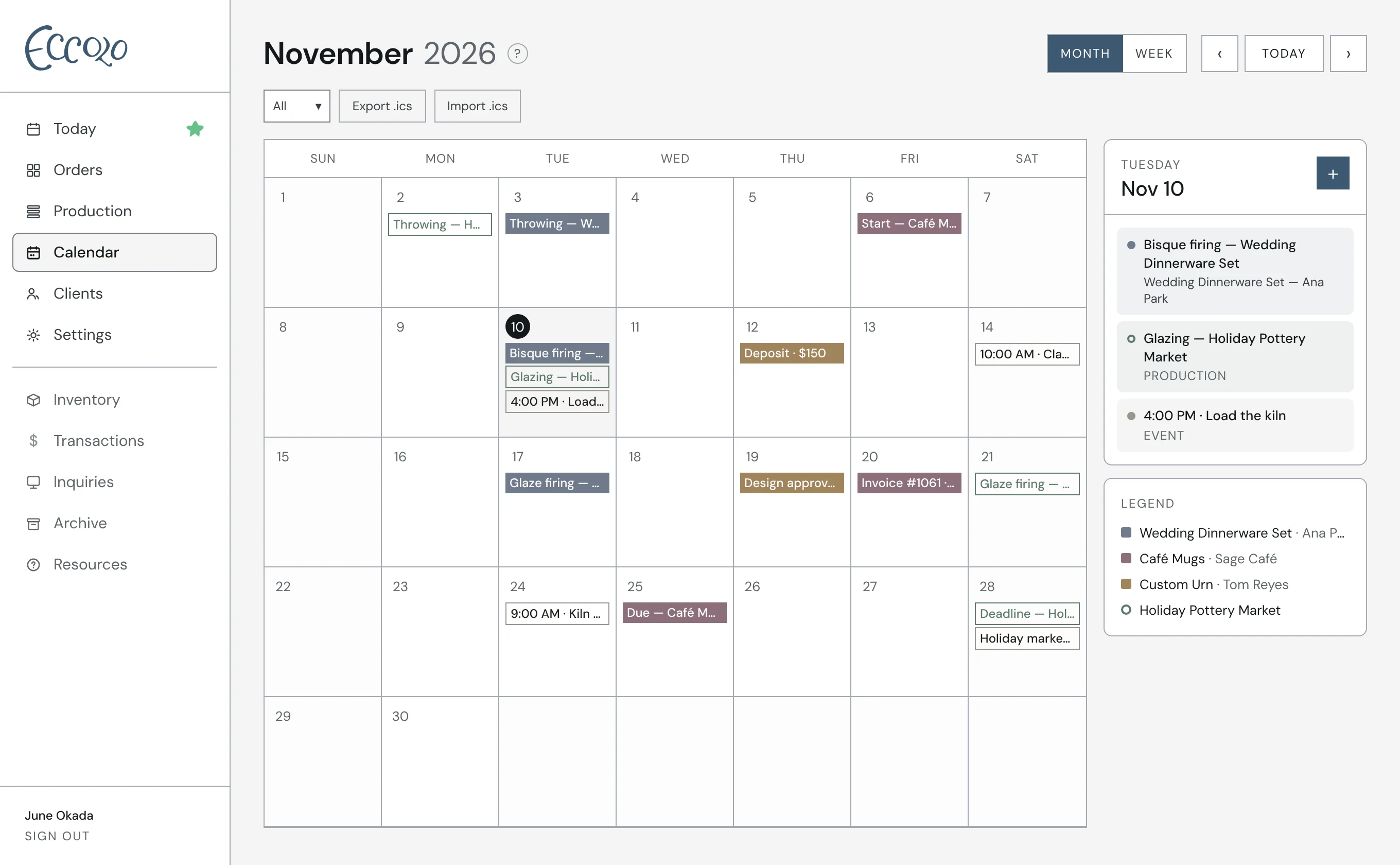
Eccolo’s calendar is a bird’s-eye view of everything coming up in your studio: order due dates, production deadlines, phases and payments, all in one place, so you can see a busy month coming before it arrives.
How it works
- 01Every order’s start and due dates, phases and payment dates, in one view
- 02Production run deadlines and phases alongside your orders
- 03Mark busy or limited days and add notes to any date
- 04Share an order’s timeline with your client in their portal, or keep it private
- 05Download your calendar as an .ics file for Google, Apple or Outlook
Questions
Does the calendar sync with Google Calendar?
Not automatically yet. You can download your Eccolo calendar as an .ics file and import it into Google Calendar, Apple Calendar or Outlook.
Can my clients see my calendar?
Only if you want them to. Each order has a toggle to show its timeline in the client’s portal. Your full studio calendar is always private.