
Deposits and payment requests for makers
Connect Stripe, or add your PayPal, Venmo or Zelle handle so clients can pay you directly. Track collected, pending and overdue payments in one place.
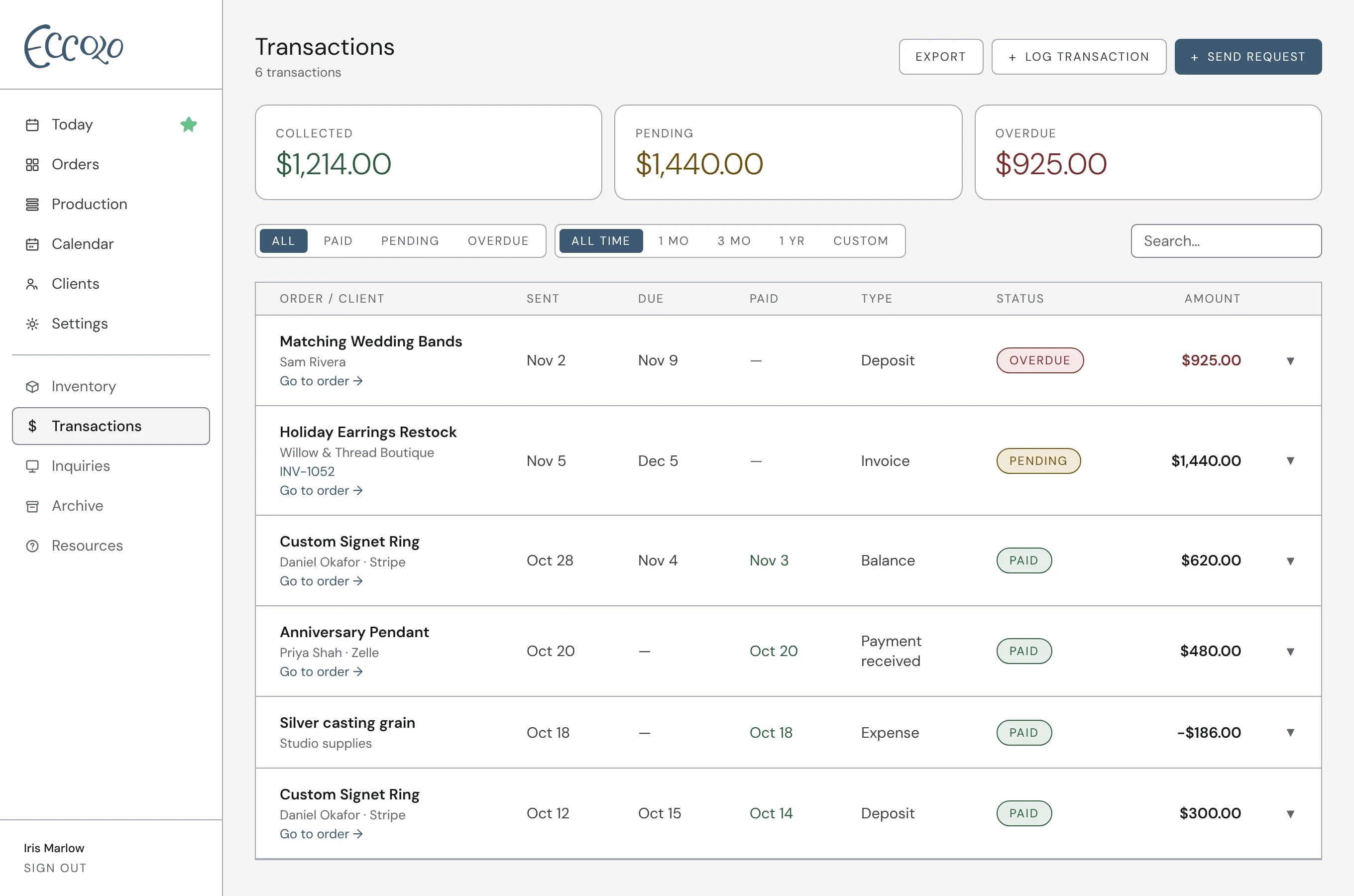
How it works
- 01Request a deposit or full payment from any order
- 02Log payments made outside Eccolo in a few seconds
- 03See collected, pending and overdue totals at a glance
- 04Export your transactions easily to upload into QuickBooks or your preferred accounting software
Questions
Which payment methods work with Eccolo?
Stripe for card and bank payments, plus PayPal, Venmo and Zelle. Connect Stripe or add your handles in Settings → Payments. You can also hand record cash or check payments.
Does Eccolo take a cut of payments?
No. Eccolo doesn’t add any fee to your payments. Card payments only carry Stripe’s standard processing fees, and PayPal, Venmo and Zelle payments go straight to you.
Does Eccolo replace my accounting software?
No, it works alongside it. Eccolo tracks the money tied to your orders: deposits, payment requests, and payments you log. Your accounting software handles the rest of your books, like taxes and reports. Export your transactions from Eccolo as a spreadsheet and bring them into QuickBooks or whatever your bookkeeper uses.