
INQUIRIES
Turn inquiries into booked orders
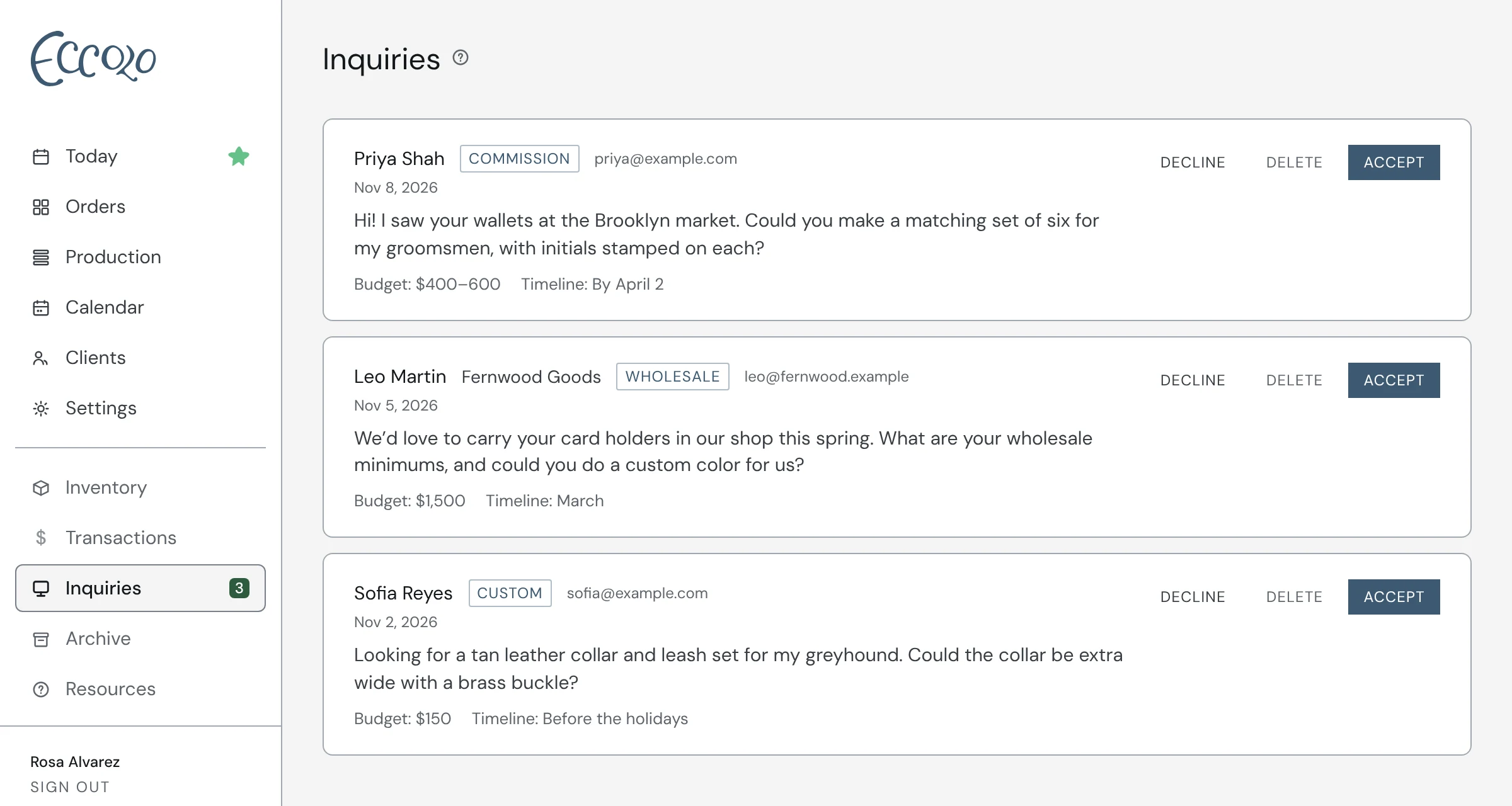
Put your inquiry form on your website or Instagram bio and new requests land in one place, with the client’s details, budget and timeline. Accept one and Eccolo creates the order with everything carried over.
How it works
- 01A simple inquiry form for your website, or as a link in your bio
- 02Every request in one inbox, with budget, timeline and notes
- 03Accept to create the order and send your client their portal link
- 04Decline the ones that aren’t a fit and keep your inbox clear
Questions
Can I add an inquiry form to my website?
Yes. Copy the embed code from Settings and paste it into your site, or share your inquiry form link anywhere, like your Instagram bio.
What happens when I accept an inquiry?
Eccolo creates a new order with the client’s details, budget, timeline and notes filled in, and sends your client their portal link.